How it works
Three steps. Then you're live.
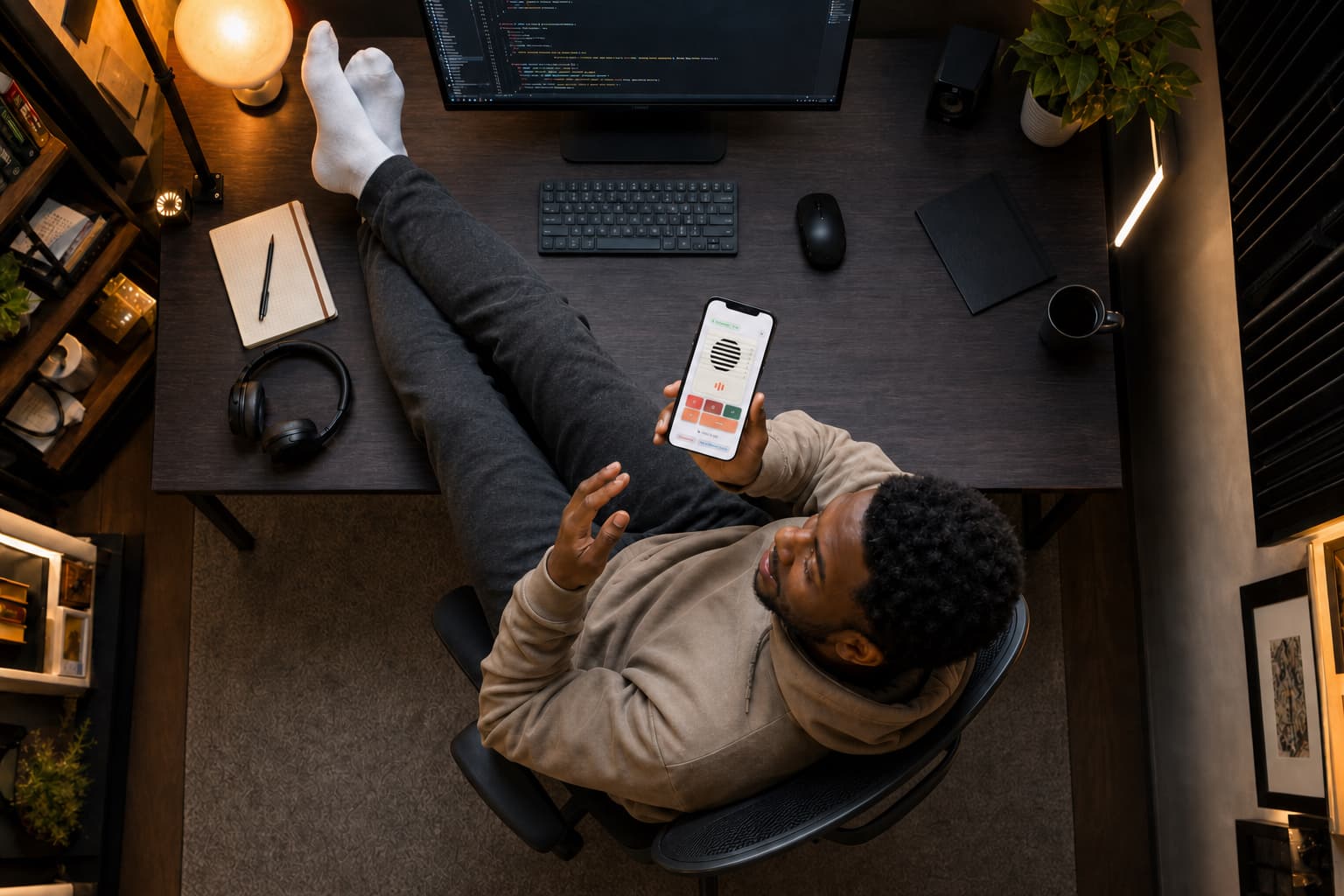
Automatic discovery on your network. Reconnects after sleep and Wi-Fi blips.
Install iMic on Mac + iPhone. One guided driver setup on your Mac. Both apps are ready.
Enter the code on your iPhone. Pair once. Reconnect automatically on your local network.
Choose iMic in your meeting app, then hold to talk. Your meeting hears you. Its live captions follow along.
 iMic for iPhone
Install iMic on Mac + iPhone.
One guided driver setup on your Mac. Both apps are ready.Watch iMic in action
A closer look at iMic.
See how your iPhone can become a wireless microphone for your Mac. More videos are on the way.
Features
Mic in your pocket. Remote in your hand.
A virtual microphone every app can use, plus shortcuts without touching the keyboard.
A virtual microphone every app can use
Your phone captures; your Mac exposes “iMic” as a system input. Mute from the phone. Level meters on both ends. Keeps streaming with the screen locked.
Shortcuts without touching the keyboard
Custom buttons on iPhone fire Mac shortcuts — push-to-talk, Spotlight, screenshot, Raycast, Alfred, dictation, start recording. Tap or hold.
Built for long sessions
Adaptive jitter buffer, clock-drift correction, automatic reconnect after sleep or Wi-Fi blips. Designed to hold for hours, not minutes.
The full flow
From Mac setup to studio mic.
Follow one session end to end — set up iMic on your Mac, publish to your network, talk from your iPhone, and your Mac hears it as a studio-clear input.
- 01
Set up iMic on your Mac
MacInstall the menu-bar app and its virtual microphone driver once — launch at login and permissions are all handled here.
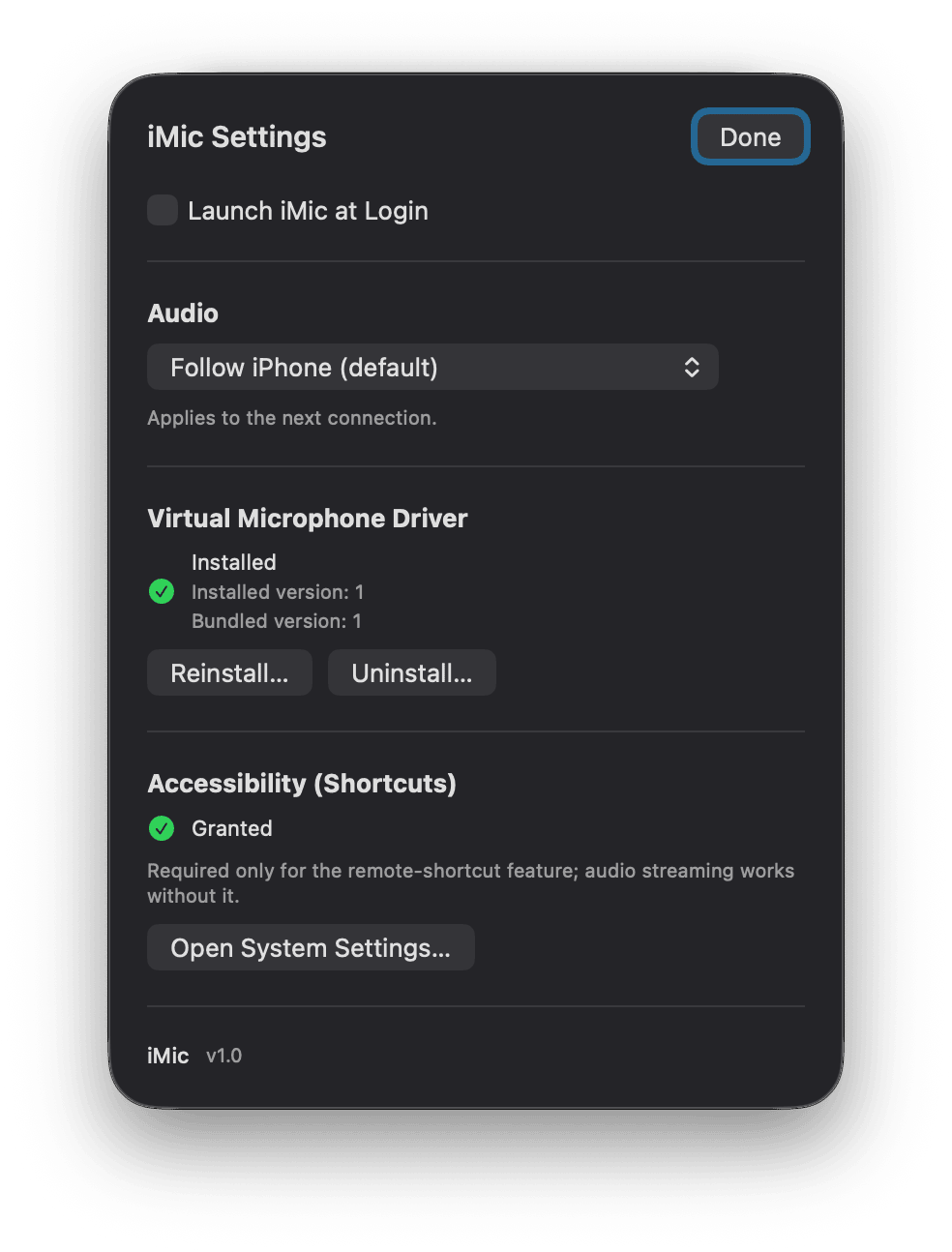
Install the driver & grant permissions
- 02
Publish to your network
MacYour Mac starts advertising on your local network and shows a six-digit code — enter it on your iPhone to pair the two.
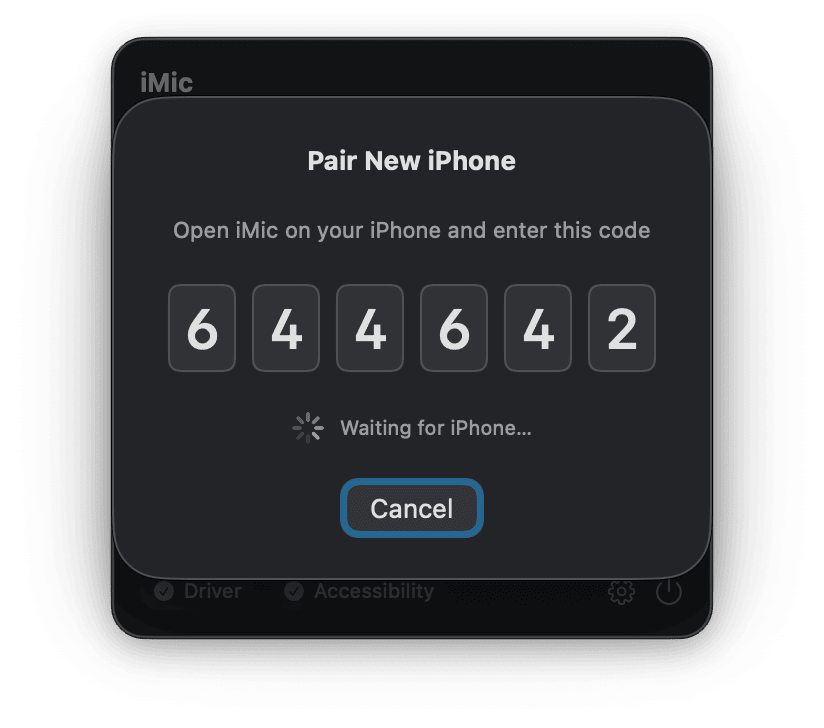
Broadcast and share the pairing code
- 03
Talk from your iPhone
iPhoneHold to talk, fire Mac shortcuts, and dial in your mic — capture and control both live in your pocket.
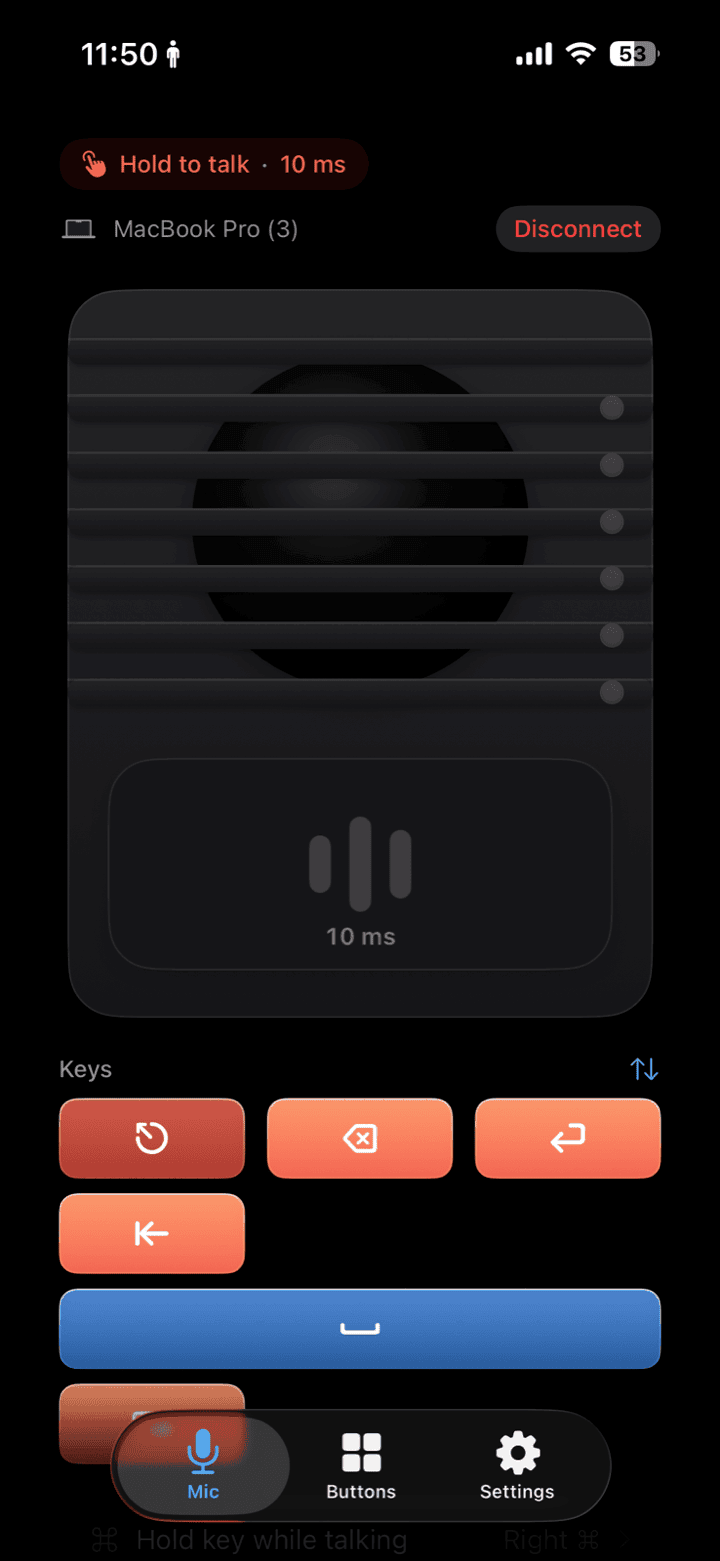
Hold-to-talk with live latency
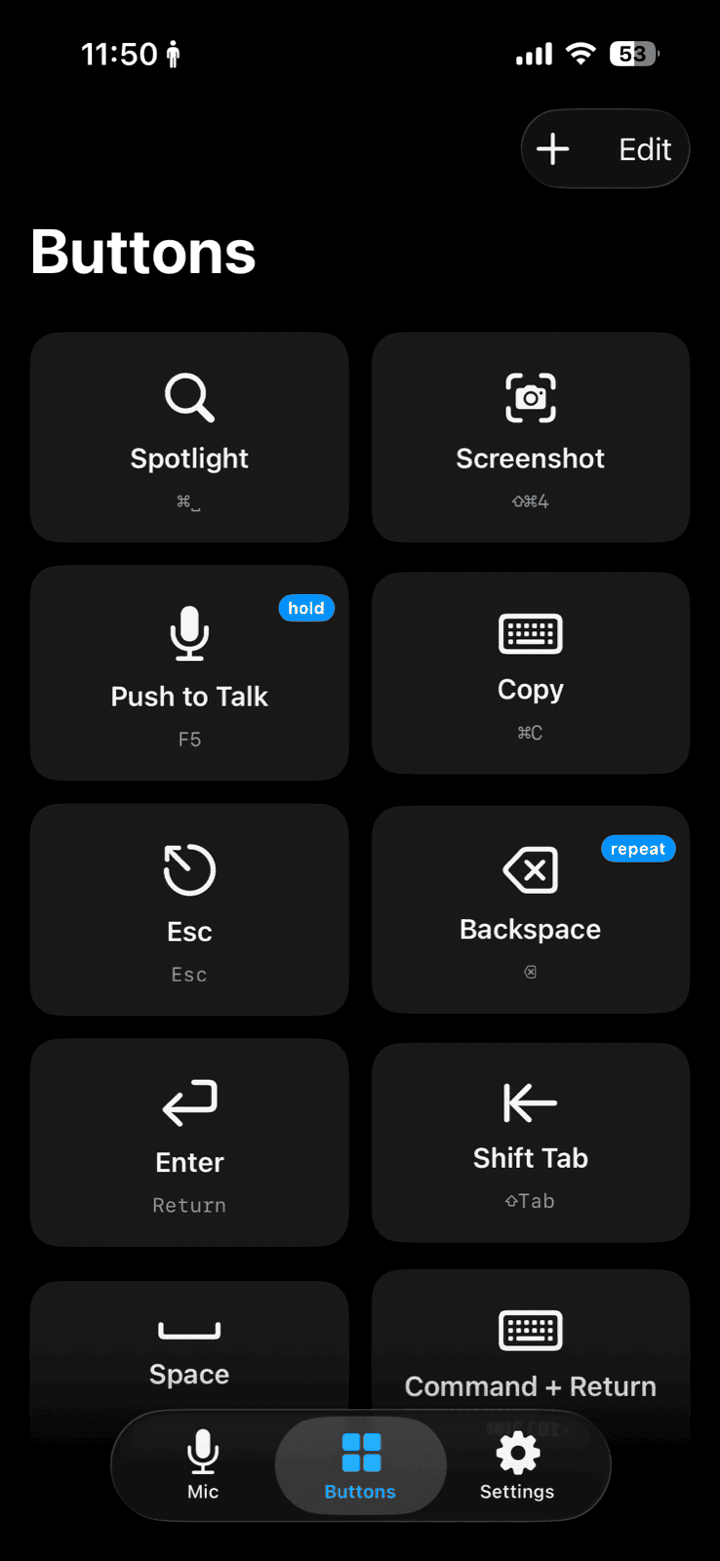
Programmable shortcut buttons
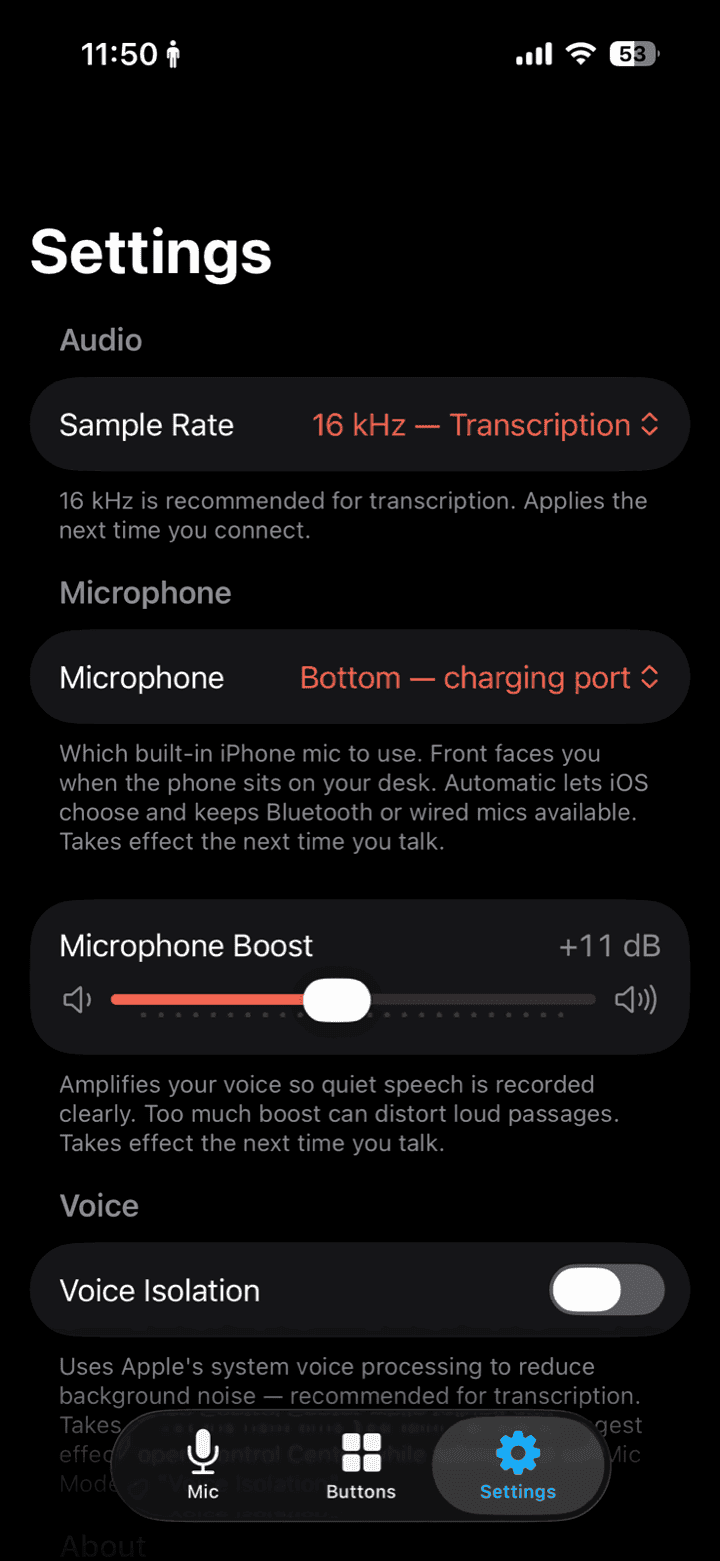
Sample rate, mic boost & voice isolation
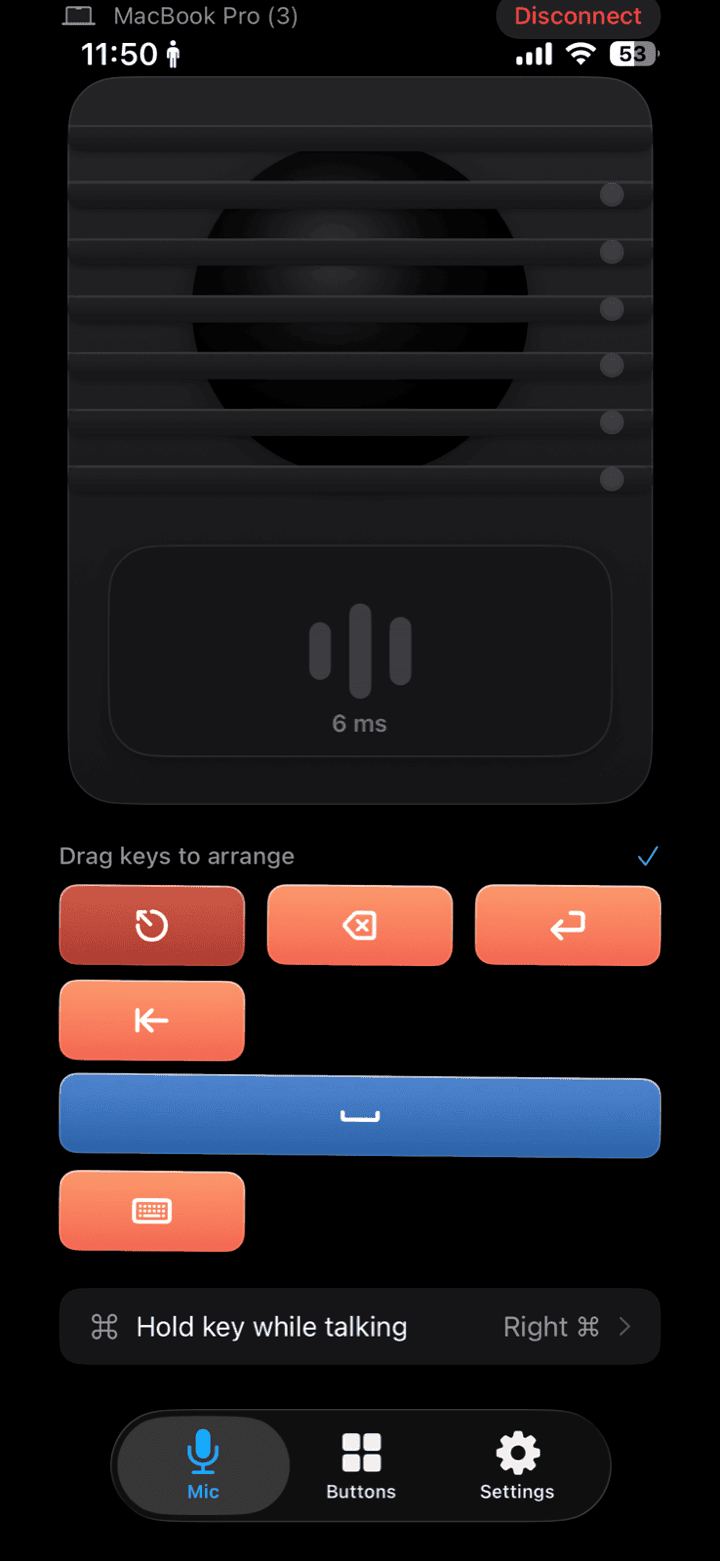
Arrange your quick-key row
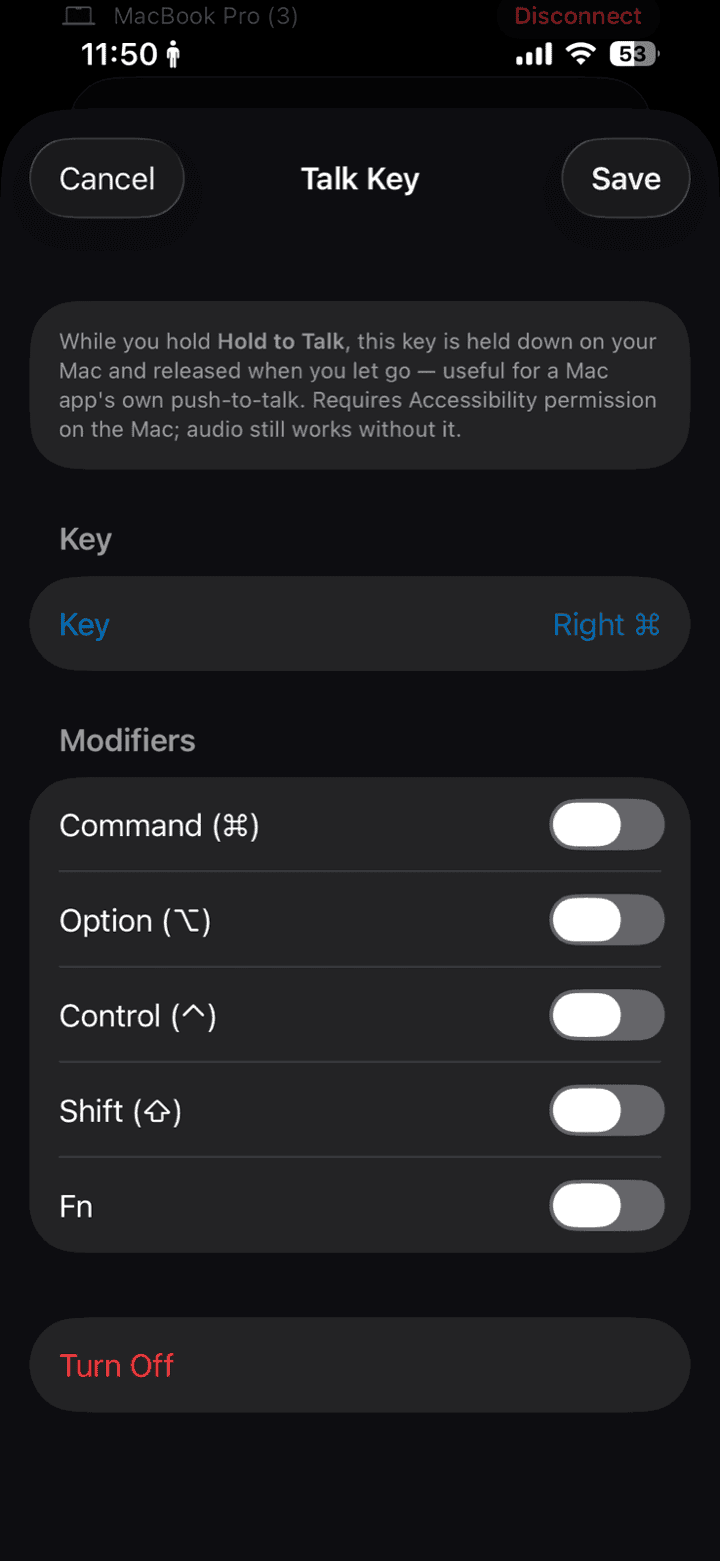
Map a push-to-talk key for Mac apps
- 04
Your Mac hears it
MaciMic shows up as a system input — pick it in Zoom, OBS, or anything else, and your Mac hears your iPhone in real time.
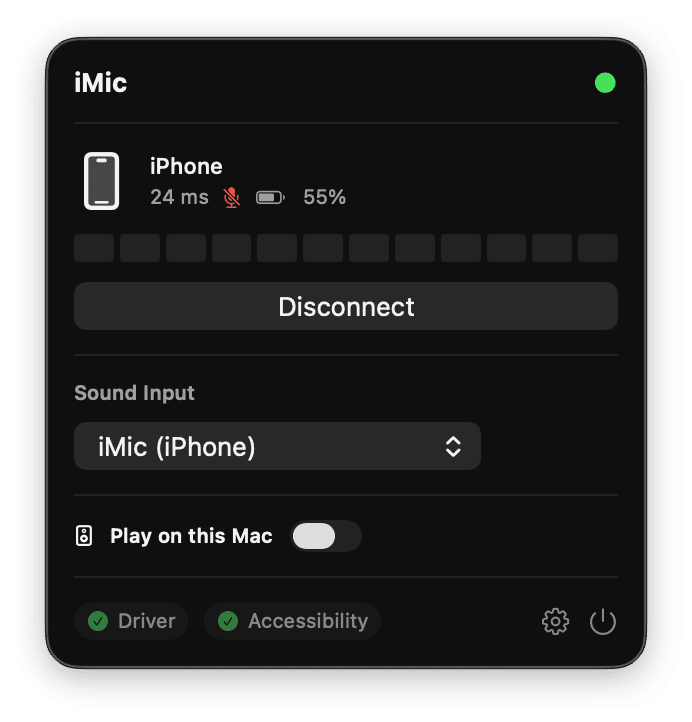
Pick iMic as your Mac input
Pricing
One great mic. Two ways to make it yours.
Start with a free week, or make a one-time purchase for a lifetime license.
YEARLY PLAN
iMic subscription
$5.99USD / year
7-day free trial
- Use iMic on Mac and iPhone
- Try every feature free for 7 days
- Then $5.99 USD per year
ONE-TIME PURCHASE
Lifetime license
$9.99USD · once
$15.99 USDSave $6
- No recurring payments
- Includes 2 licenses — use iMic on two Macs.
- One-time $9.99 purchase
The subscription renews annually at $5.99 USD after the 7-day trial.
Get iMic
Choose your device.
Download iMic for Mac, iPhone, or Android. Select a platform below to get started.
iMic 0.1.4 for macOS
Download iMic
Download for Mac
- macOS 14.0+
- 5.1 MB · v0.1.4
- released Sep 15, 2026
Requires a Mac and iPhone on the same local network. One-time admin install for the virtual microphone driver.
What’s new
Version 0.1.4 · Sep 15, 2026
Improved license activation, validation, and deactivation reliability.
Who it's for
Stand up, speak, stay connected.
Presenters, podcasters, streamers, and Mac power users.
- Stand and present while the Mac stays on the desk.
- Podcast or stream with a better mic than the built-in — no USB dongle.
- Trigger OBS, mute, or Raycast without reaching the keyboard.
- Pair once at home; reconnect automatically every workday.
Local by design
Your voice never leaves your network.
Encrypted on your network. Never uploaded.
- Local Wi-Fi / peer-to-peer only — no cloud relay.
- Encrypted control and audio channels.
- Pairing with pinned device identity keys.
- No audio stored by default.
- Accessibility permission only if you use keyboard shortcuts — audio works without it.
FAQ
Questions, answered.
Everything you need to know before you pair your first device.